
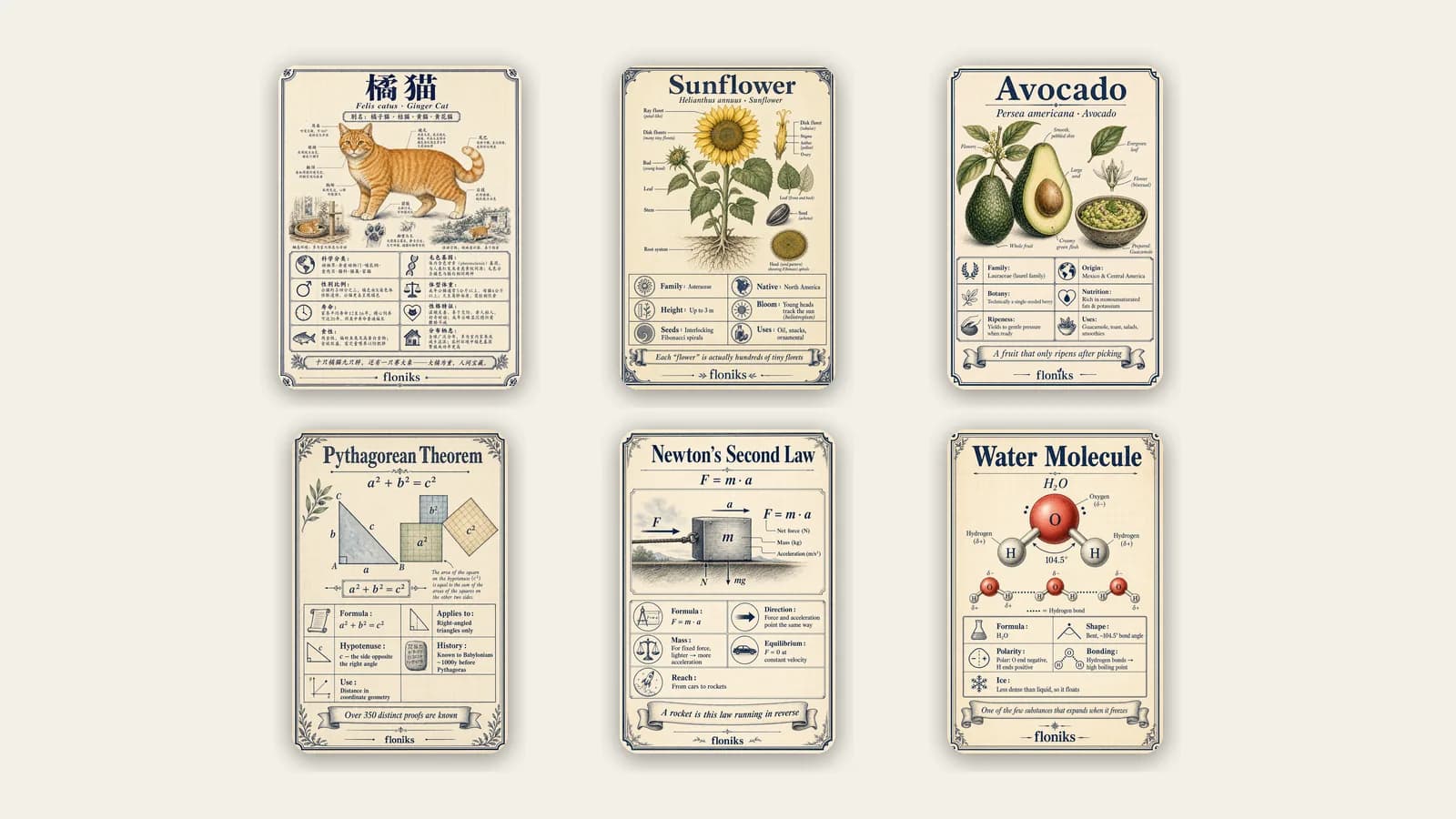
Type a topic. Get an illustrated encyclopedia card.
There is a whole layer of knowledge that never gets seen — the name of that fish on the menu, why avocados only ripen after picking, what the Pythagorean theorem actually looks like. It lives in dense paragraphs and dry tables, so it stays dormant. Encyclopedia Cards on Floniks turn that knowledge into something you'd actually stop and look at: a single, beautifully illustrated field‑guide card — the name, the facts, the picture — in any language, on any topic.
You don't design it. You type a topic, the AI researches the real facts and drafts the card, and one more click renders it as a finished illustrated card that's published to a shared library under your name.
Quick answer: To make an encyclopedia card, open Floniks Encyclopedia, click Create a card, type a topic (a plant, animal, dish, or a math/physics/chemistry concept), pick its domain and language, and let the AI research and draft the facts. Review or tweak the fields, then click generate. In about a minute you get a finished, illustrated field‑guide card — title, scientific name, fact grid, and a tagline all rendered into one image — published to the card library as yours.
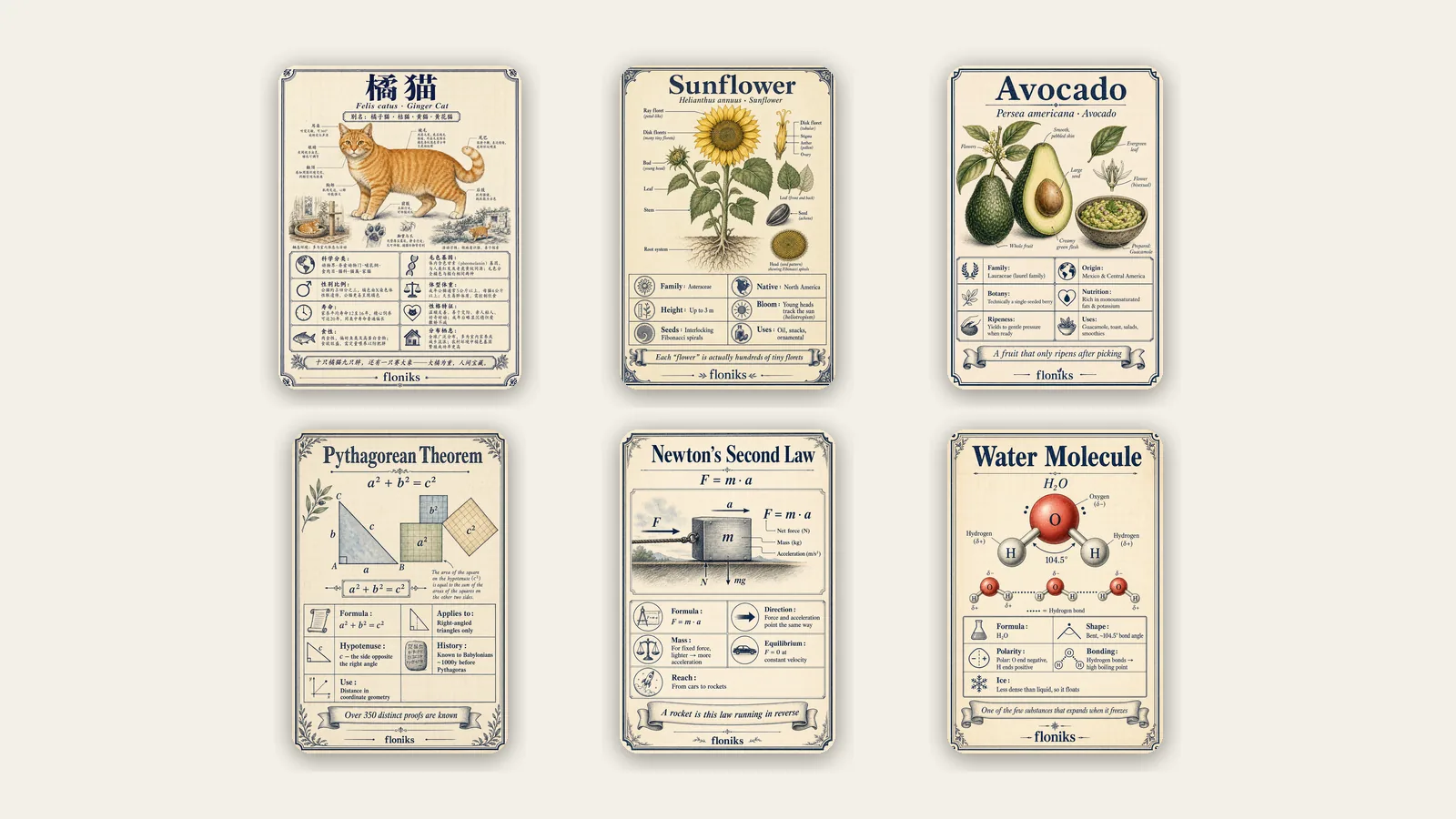
Fish, plants, food, science — every card is one AI-generated image with the real facts rendered right into it.
Why we built it
Two everyday frustrations, really.
First, knowledge is boring to look at, so it doesn't travel. A paragraph about the crucian carp is accurate and utterly forgettable. A field‑guide card of it — illustration, taxonomy, habitat, a memorable line — is something you'd screenshot and send to a friend.
Second, making one used to be a project. You'd research the facts, find or commission an illustration, lay it out, get the typography right, translate it. Hours per card. Encyclopedia Cards collapse that into typing a topic and clicking once.
What actually happens when you make one
Behind the single "Create a card" button, three things run in order:
- The AI researches your topic. Type a keyword — avocado, mandarin fish, Newton's second law — and Floniks sends an AI agent to search the web and pull back the real, structured facts: the canonical name, scientific/Latin name, aliases, a short summary, a grid of six‑to‑eight attributes, a tagline, and a fun fact.
- You review and adjust. The drafted fields appear so you can correct a value, tweak the tagline, or fix a name before anything is drawn. Nothing is generated until you're happy with the facts.
- One image renders the whole card. A single generation paints the entire card — the illustration in the center and every line of text around it, spelled correctly, in your chosen language — as one cohesive field‑guide poster. No separate layout step, no font wrangling.
The finished card lands in the public Encyclopedia library with its own shareable page, attributed to you as the creator.
Did you know? The text on the card isn't overlaid afterward. Floniks asks the image model to paint the lettering into the card itself — the Chinese or English title, the fact labels, the tagline — so it reads like a printed field guide rather than a screenshot with a caption slapped on. It's the same "render the type, don't paste it" trick behind our movie‑still posters.
What it's good for
- Turning knowledge into shareable visuals. A card is far more postable than a paragraph — it's built for the screenshot‑and‑send moment on social feeds and group chats.
- Building a themed collection. Make a set — freshwater fish, backyard birds, culinary herbs, classic desserts, physics laws — and you've got a mini illustrated encyclopedia that's genuinely yours.
- Learning that sticks. One concept per card, with the picture doing half the memory work, beats re‑reading a wall of text.
- Any language. Generate the same card in Simplified Chinese, English, Japanese, Korean, Indonesian and more — the facts and the on‑card text follow the language you pick.
- Remixing what already exists. Every card in the library has a Make same button. Like someone's card? Open it in the editor as your own version — some creators keep theirs free, others price a paid remix.
Who it's for
- Students and lifelong learners who remember pictures better than paragraphs and want study cards that don't put them to sleep.
- Educators who need clean, illustrated visuals for a slide, a handout, or a classroom wall — in the language they teach in.
- Nature, food, and hobby enthusiasts cataloguing the plants, animals, or dishes they love into a personal field guide.
- Social and content creators who want a repeatable, on‑brand format that reliably earns saves and shares.
- Parents and tutors making a topic feel like a collectible instead of homework.
If you can name a topic, you can make a card about it.
A real example, start to finish
Say you want a card about the avocado.
- Open Encyclopedia and click Create a card.
- Type
avocado, set the domain to Food, and choose your language. - The agent searches and comes back with a draft: family Lauraceae, origin Mexico & Central America, the botanical "it's a single‑seeded berry" fact, ripeness tips, common uses — plus a tagline like "a fruit that only ripens after picking."
- Skim the fields, fix anything you'd word differently, and hit generate.
- About a minute later: a finished card — creamy avocado illustration, the fact grid, the tagline, all rendered into one clean field‑guide image — sitting on its own page in the library under your name, ready to share or remix.
That's the entire loop. Type, review, generate.
Frequently asked questions
How do I create an encyclopedia card? Open Floniks Encyclopedia, click Create a card, type a topic, pick its domain and language, and let the AI research and draft the facts. Review or edit the fields, then generate. In about a minute you get a finished illustrated field‑guide card published to the library as yours.
Does the AI research real facts, or make them up? It researches. Floniks sends an agent to search the web for factual information about your topic and returns structured fields — name, scientific name, attributes, summary, fun fact. You then see and can edit every field before any image is generated, so you stay in control of accuracy.
What topics can I turn into a card? Animals, plants, food and ingredients, and math, physics, and chemistry concepts each have a tuned template, and there's a general option for anything else. Formulas, species, dishes, and ideas all work.
Can I make cards in languages other than English? Yes. Pick the language when you create the card, and both the researched facts and the text painted onto the card come out in that language — Simplified Chinese, English, Japanese, Korean, Indonesian and more.
Can I edit the facts before the card is drawn? Yes. The AI's draft appears as editable fields. Correct a value, rewrite the tagline, or fix a name first — nothing is rendered until you approve the facts.
Can I use or remix someone else's card? Yes. Every card has a Make same button that opens it in the editor as your own editable version. Creators set the price — some cards are free to remix, others are a paid remix whose payment goes to the creator.
Where does my card go after I make it? It's published to the public Encyclopedia library with its own shareable, search‑friendly page, attributed to you as the creator, and it shows up under its domain for others to browse and remix.
Start your own encyclopedia
Every card is a small, finished, shareable piece of knowledge — and a template someone else can build on. Pick a topic you love, make the first card, and start a collection that's unmistakably yours.
Ready to make one? Open Encyclopedia, click Create a card, and type your first topic. If you'd rather turn ideas into diagrams or full workflows instead, our AI Diagram Studio and Make It Real do exactly that.