

Everyone has more ideas than they have time to make. You see a scene in your head — a rainy-night study room, a satisfying sand-cutting loop, a slow sunrise morning — and then nothing happens, because the distance between "I have an idea" and "here is the finished video" is full of decisions. Which tool? Which model? How many steps? What connects to what? Most ideas die in that gap.
Make it real is the button that closes it. On any idea in Floniks, one click hands your idea to an agent that reads it, breaks the intent into steps, and builds the actual node-based workflow for you — a keyframe image, an animation, an output — right on the canvas. You pick your models, press Run, and the finished work links straight back to the idea's thread so anyone can see what it became. It turns Ideas from a wish list into a place where wishes get built.
Why we built it
Floniks has always had two halves. There's the workflow editor — a powerful node-based canvas where you wire prompts into models into outputs — and there's Ideas, a community space where people capture the sparks they want to make. The problem was the space between them. A newcomer with a great idea would open the editor and face a blank canvas: no nodes, no obvious first move, and a real question of which of dozens of models to use for which step. The idea was clear; the assembly was not.
We'd already learned that a saved workflow beats a one-off prompt for anything you want to repeat or refine. And we'd built an MCP server so agents can drive the whole platform. The missing piece was obvious in hindsight: let an agent do the assembly for the person with the idea, right where the idea lives. You shouldn't need to know what a "text-to-image node wired to an image-to-video node" is to make a rainy-night ambience loop. You should just describe the rainy night.
What "Make it real" actually does
Click Make it real on an idea and you land in the editor with the work already in motion. Under the hood, four things happen in order:
- Read the idea. The agent pulls the idea's title and description as the brief.
- Decompose the intent. It decides what kind of creation this is — a still, a looping video, an audio ambience — and what steps get there.
- Build the graph. It assembles the actual nodes and connections on your canvas. For a visual scene it now prefers a keyframe → animate pipeline: generate a still keyframe first, then animate it into video, exposing both the image and the video as outputs. You get a strong cover image and a playable clip, not a single bare render.
- Link it back. When you save and run, the workflow and its finished works are recorded as a build on the idea and shown in a "Made from this idea" gallery in the thread.
You stay in control the whole time. The agent builds the graph; you choose the models on the AI nodes and press Run. Nothing generates — or spends credits — until you decide to. If the build ever looks empty while it's thinking, an on-canvas status tells you it's working, and a Retry is one click away.
The value: from wish to work, in the open
The point isn't just convenience. It's that the whole arc of a creation — the idea, the workflow that made it, and the finished piece — now lives in one connected place.
- No blank canvas. The hardest part of any tool is the first move. Make it real gives you a running start: a real, editable workflow instead of an empty grid.
- The agent handles orchestration. Which nodes, which order, which output shape — that's the agent's job now. Yours is the idea and the taste.
- Results are richer. Because the agent prefers a keyframe-plus-video pipeline, a single idea produces a cover image and a video, so your creation looks finished, not like a lone clip.
- Creation becomes social. Every build links back to the idea's thread. People can see not just that an idea was good, but what it became and how — the workflow is right there to open, remix, and run yourself.
This is the same shift we've been building toward across Floniks: creation stops being a private thing you click through alone and becomes something you can delegate, share, and build on together.
Ideas is now two kinds of post
Because finished work now flows back into Ideas, the space carries two kinds of content, and both are shareable and discussable:
- Requests — the classic idea: a spark someone wants made ("Rainy Night Study ASMR in a cozy cabin").
- Showcases — a creation someone actively shared: the results plus the process behind them.
A beginner posts a wish; a maker turns it real and shares what came out. Both belong in the same feed, and the discussion under each one is where the community compares takes and trades approaches.
Use cases
Because the agent adapts the workflow to the idea, the range is wide. A few of the shapes we see most:
Cozy lifestyle and "day in the life" loops. Slow-morning coffee, a quiet reading nook, a rainy commute — calm, loopable scenes that make great ambient backdrops and short-form openers.

Satisfying and ASMR content. Oddly-satisfying macros and ASMR textures are perfect for the keyframe-then-animate pipeline: a crisp still to hook the eye, then gentle motion and sound to hold it.
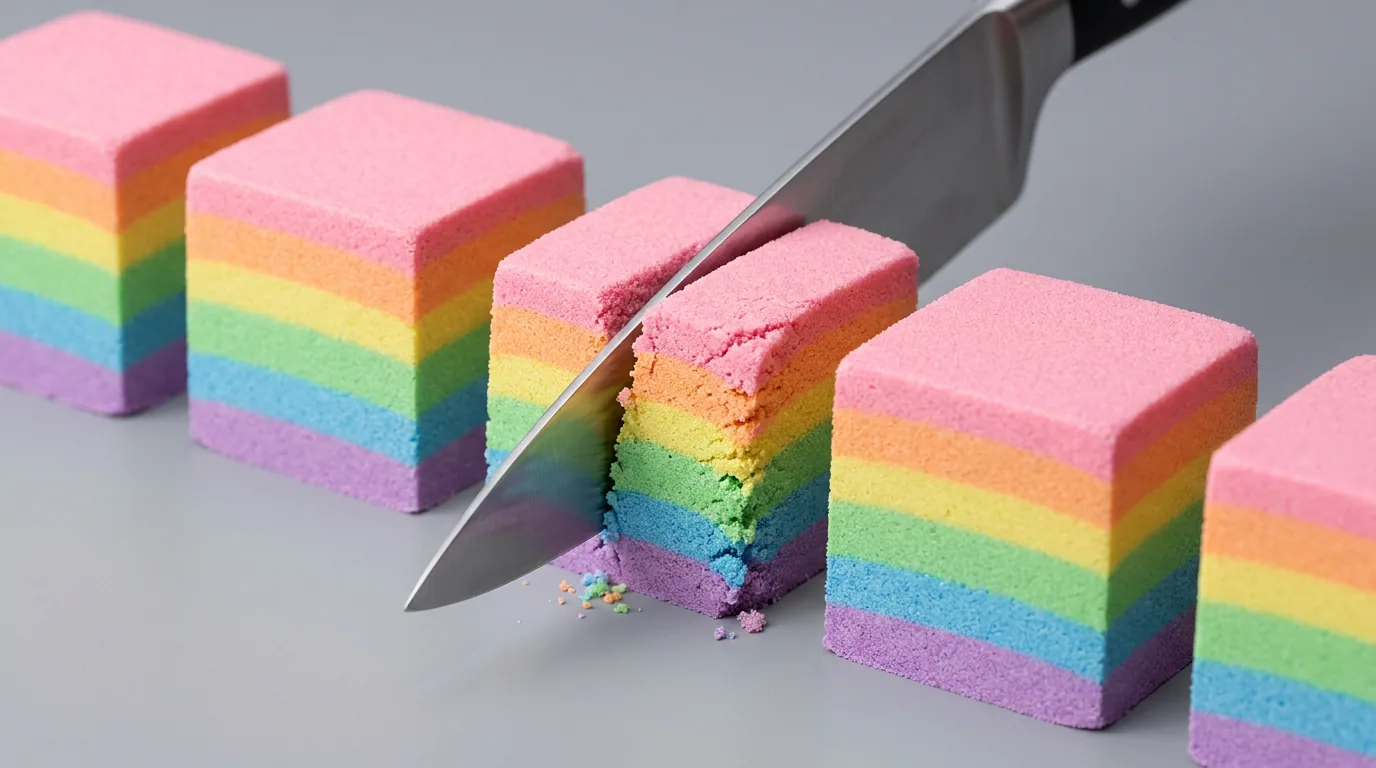
Marketing and product moments. A seasonal concept, a mood, a launch teaser — describe it as an idea and let the agent stand up the pipeline, then swap in your own product shots.
Storytelling and short film. Pair Make it real with our work on multi-episode AI stories: sketch a scene as an idea, get a keyframe-and-video build, and grow it into a sequence.
A worked example
Take a real idea from the plaza: "Rainy Night Study ASMR: Focus Inside a Cozy Mountain Cabin" — a candle-lit desk beside a rain-streaked window, warm lamplight, a looping focus ambience.
Click Make it real. The agent reads the brief and builds a keyframe-to-video graph: a Scene Prompt feeding a Generate Keyframe node, that keyframe both downloaded as an image and fed into an Animate node driven by a Motion Prompt, ending in a video output. It looks like this once the still is generated:

You choose an image model for the keyframe and a video model for the animation, press Run, and a minute later you have two things: the cozy still above, and a gentle looping clip of rain on the glass and a flickering candle. Both land back on the idea's thread as your build — the workflow one tap away for anyone who wants to make their own version. If you'd rather build audio (say the idea is pure ASMR sound), the agent assembles an audio pipeline instead, and the gallery shows a player.
Scenario Q&A
What is "Make it real" on Floniks? It's a one-click action on any idea that hands your idea to an AI agent. The agent reads the idea, decomposes the intent, and builds a runnable node-based workflow on the editor canvas for you. You pick models and run it; the finished work links back to the idea.
Do I need to know how to build workflows? No. That's the whole point. The agent assembles the nodes and connections. If you do know the editor, everything it builds is fully editable — treat it as a smart starting point, not a black box.
What can it generate — images, video, or audio? All three. The agent picks the pipeline that fits your idea: a still, a keyframe-plus-video (its default for visual scenes, so you get a cover image and a playable clip), or an audio ambience for sound-first ideas like ASMR music.
Does it run automatically? Will it spend my credits? No surprise spending. Make it real builds the workflow but does not execute it. You select the models on the AI nodes and press Run yourself — credits are only used when you choose to generate.
Where do the finished results go? Back to the idea. Each run is recorded as a "build" and shown in a Made from this idea gallery in the idea's thread — the linked workflow, plus the generated image, video, or audio. Anyone viewing the idea can see what it became and open the workflow.
Can I turn someone else's idea into my own creation? Yes. Ideas in the plaza are meant to be made. Building someone's idea creates your build on it, so a single good idea can spark many different creations — and each one is credited to the person who made it.
Can I edit the workflow the agent built? Completely. It's a normal Floniks workflow: add nodes, change prompts, swap models, rewire connections. Make it real gets you 80% of the way; your taste does the last 20%.
What if the build looks empty, or generation fails? While the agent is composing, the canvas shows a "Building your idea into a workflow…" status so it never looks silently blank; generated nodes are auto-framed into view. If a request times out or fails, you get a clear message with a Retry button — no dead ends.
Try it
Open Ideas, find a spark you like — or capture your own — and hit Make it real. Watch the agent lay down the workflow, choose your models, and press Run. In a couple of minutes you'll have a finished creation, a workflow you can reuse, and a build on the thread that shows the world what the idea became. The distance between "I have an idea" and "here it is" just got a lot shorter.