
Why most AI "summer photos" look fake, and the 39-rule skill that fixes it
Most AI beach and pool images fail in the same way. The person is posed, the skin is porcelain, the horizon is dead level, the light is a studio softbox pretending to be the sun, and everyone is looking straight at a camera that nobody is holding. It reads as a render, not a photo. This guide takes a popular 39-rule prompt skill for candid summer swimwear photography written by the prompt author @94vanAI, distills it into eight rules you can actually remember, and shows the results we got by running it on Floniks with five different image models and one video model.
Quick answer: To generate a summer swimwear photo that looks like a real snapshot from a friend's camera roll, describe one frame, one event, one camera: a single moment that is still happening (a splash, a jump, a squint into the sun), photographed by a travel companion on a camera you can name (35mm film, a 90s compact, a disposable, a 2000s CCD, an early smartphone) with a 28–40mm lens from waist or pool-edge height. Insist on real skin, at least one water element, lived-in clutter, and photographic imperfections — a tilted horizon, a cropped arm, a droplet on the lens — while forbidding generative ones. On Floniks, paste that into AI Image, pick Seedream 5.0 Pro or Nano Banana 2, and generate.
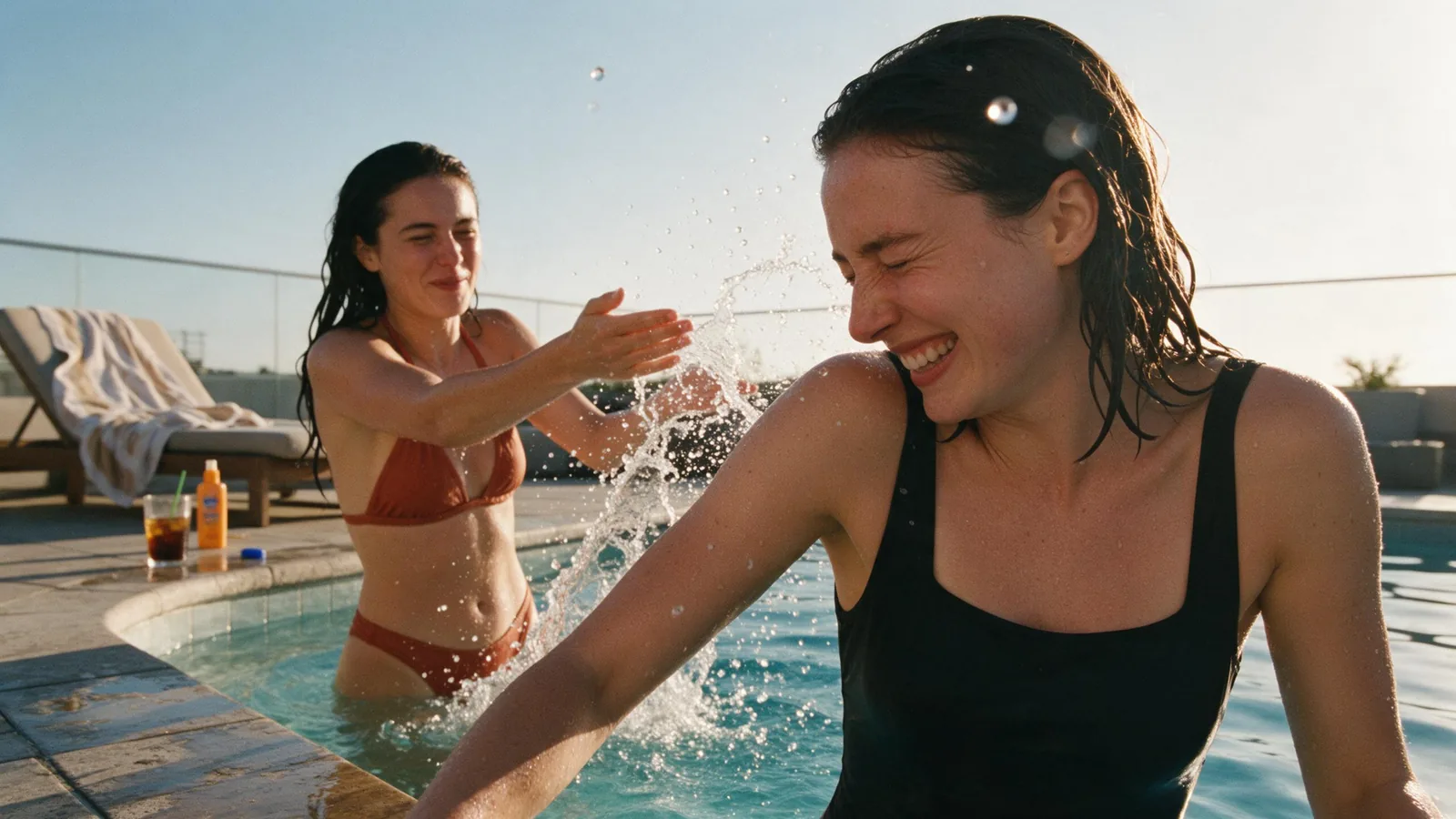
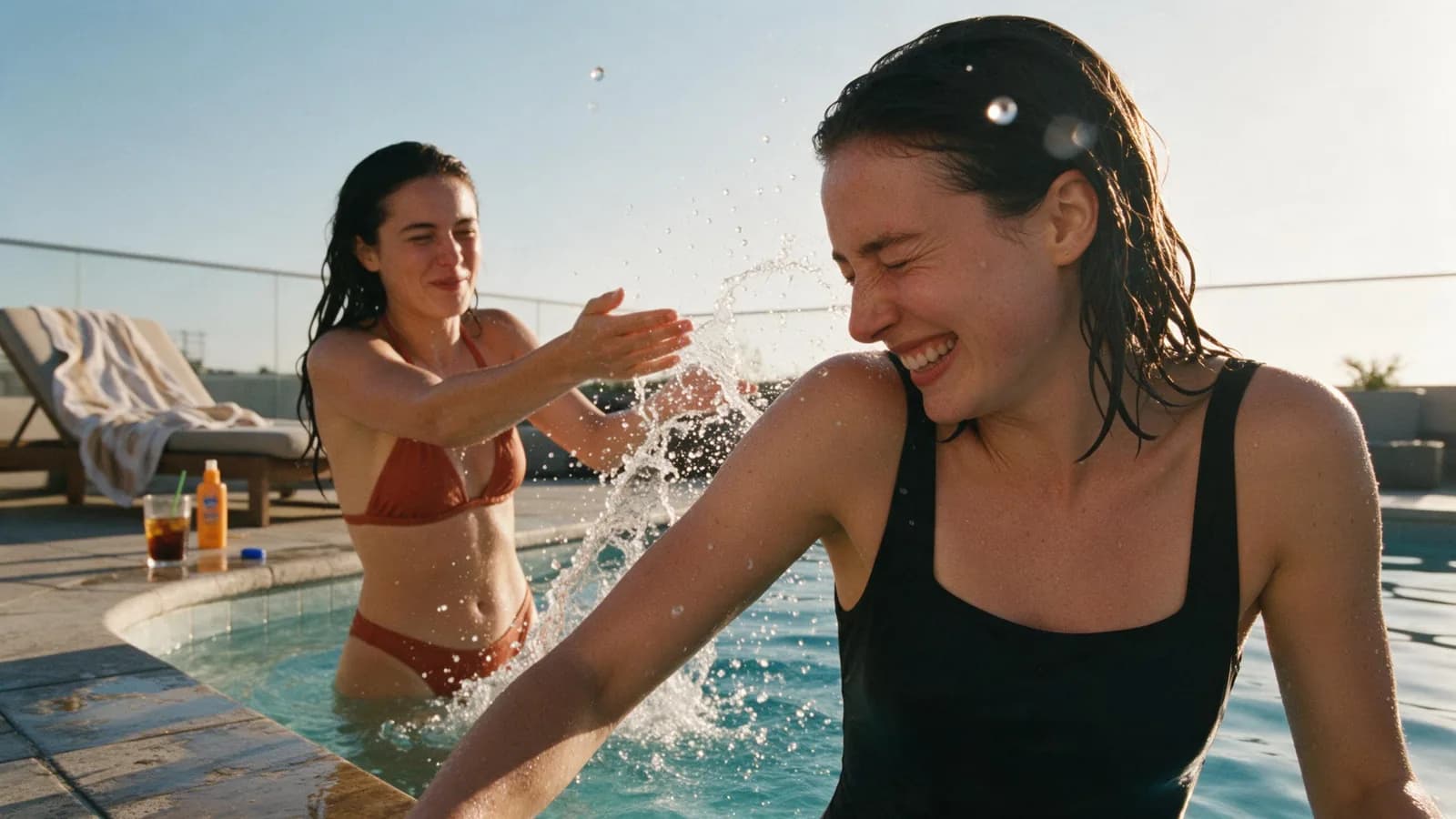
Seedream 5.0 Pro, 16:9. One event (the splash), nobody looking at the camera, a cropped arm in the foreground, droplets on the lens. This is the whole method in one frame.
Where this skill comes from, and what we kept
The original is an X Article titled "未审核版抓拍skill(泳装篇)" — a candid-shot skill, swimwear edition — published in September 2026. It is long: 39 numbered sections covering everything from a hard one-image-per-call rule to how wet hair should behave depending on what the subject just did. Its own four-word summary is private album × summer trip × close perspective × natural candid.
We read all 39 sections and kept the photography. What we deliberately did not carry over is the "unreviewed" framing. Every subject in this guide and in every example is an adult in ordinary vacation swimwear, the camera belongs to a friend on a trip, and every image went through the same moderation as anything else generated on Floniks. The interesting part of the skill was never the swimwear anyway. It is the set of rules that make an image look taken instead of rendered, and those rules transfer to any candid photo you want to make: street, travel, family, product-in-use.
The eight rules that do the work
The 39 sections collapse into eight instructions. If your prompt covers all eight, the result will look like a photograph. If it misses two or three, it will look like AI.
- One frame, one scene, one moment. Say it explicitly: a single photograph, no collage, no grid, no split panels. Models love to hand you a contact sheet when you mention "candid" or "snapshots".
- One core event, still happening. A splash that has not landed yet. A jump that has not hit the water. A laugh mid-sentence. Everyone in the frame reacts to the same event; nobody strikes a pose and nobody looks at the camera unless the event is "she just caught the friend taking the photo".
- A camera you can name. Pick exactly one medium per image and describe its fingerprints: 35mm colour film (grain, halation, warm skin), a 90s compact (soft corners, missed autofocus), a disposable (direct flash, blown highlights, date stamp), a 2000s CCD digital camera (colour noise, cool whites), an early smartphone (soft, noisy, flared).
- 28–40mm from a human height. The skill is specific about this: a 28, 35 or 40mm lens, held at waist, chest or pool-edge height by someone sitting on the rocks or standing in the water. Not a 85mm portrait lens, not a drone, not a tripod at eye level.
- Real skin, real water. Pores, fine hair, uneven tan, a little sunburn, droplets on the shoulders, wet hair that matches what just happened (fully soaked after a swim, half-dry after a towel). Forbid plastic skin, doll skin, CGI skin and beauty filters by name.
- A lived-in environment. A used towel, two iced drinks, a sunscreen bottle, wet flip-flops, sand that has been walked on. A few items, not a product display.
- Photographic mistakes, never generative ones. Off-center framing, a slightly tilted horizon, an arm cropped by the frame edge, motion blur on the feet, a water drop on the lens, flare. And in the same sentence: correct anatomy, five fingers, no merged limbs. The model needs to know which imperfections are welcome and which are not.
- Translate character DNA, don't paste a costume. For cosplay-inspired shots, the skill's most useful idea is character-inspired swimwear translation: take the character's palette, cut and graphic language and turn it into swimwear a real person could buy, worn by a real adult cosplayer with a real wig and real skin, on a real beach rather than in the character's world.
If you have read our guide to product photography prompts, you will recognise the pattern: the difference between a good and a great prompt is rarely more adjectives. It is naming the constraints the model would otherwise guess.
The prompt skeleton
Here is the eight-rule card as a fill-in template. Every example below was written from it.
[ONE FRAME]  A single candid summer travel photograph with a private-album feel.
             One photo, one frame, one scene, one moment. No collage, no grid.
[WHO]        <N> adult(s) in their twenties, friends on a trip.
[EVENT]      One core event, mid-action: <who is doing what to whom>. Everyone
             reacts to it. Nobody looks at the camera.
[WARDROBE]   Ordinary vacation swimwear, a different silhouette per person: <…>.
[SKIN+WATER] Real skin: pores, fine hair, uneven tan, droplets. Wet hair that
             matches what just happened. At least one water element.
[PLACE]      <scene> with lived-in traces: <towel, drinks, sunscreen, wet tiles>.
[CAMERA]     Shot by a travel companion from <waist / pool-edge / sitting> height
             on <35mm film | 90s compact | disposable | 2000s CCD | early phone>,
             28–40mm lens, <light: golden hour / midday haze / dappled shade>.
[IMPERFECT]  Off-center framing, slight tilt, cropped arm, flare or a droplet on
             the lens. Photographic mistakes only — correct anatomy, five fingers.
Five results, five models
We ran the skeleton through five text-to-image models on Floniks, each with a different camera and a different event, so you can see how much of the look comes from the prompt and how much from the model.
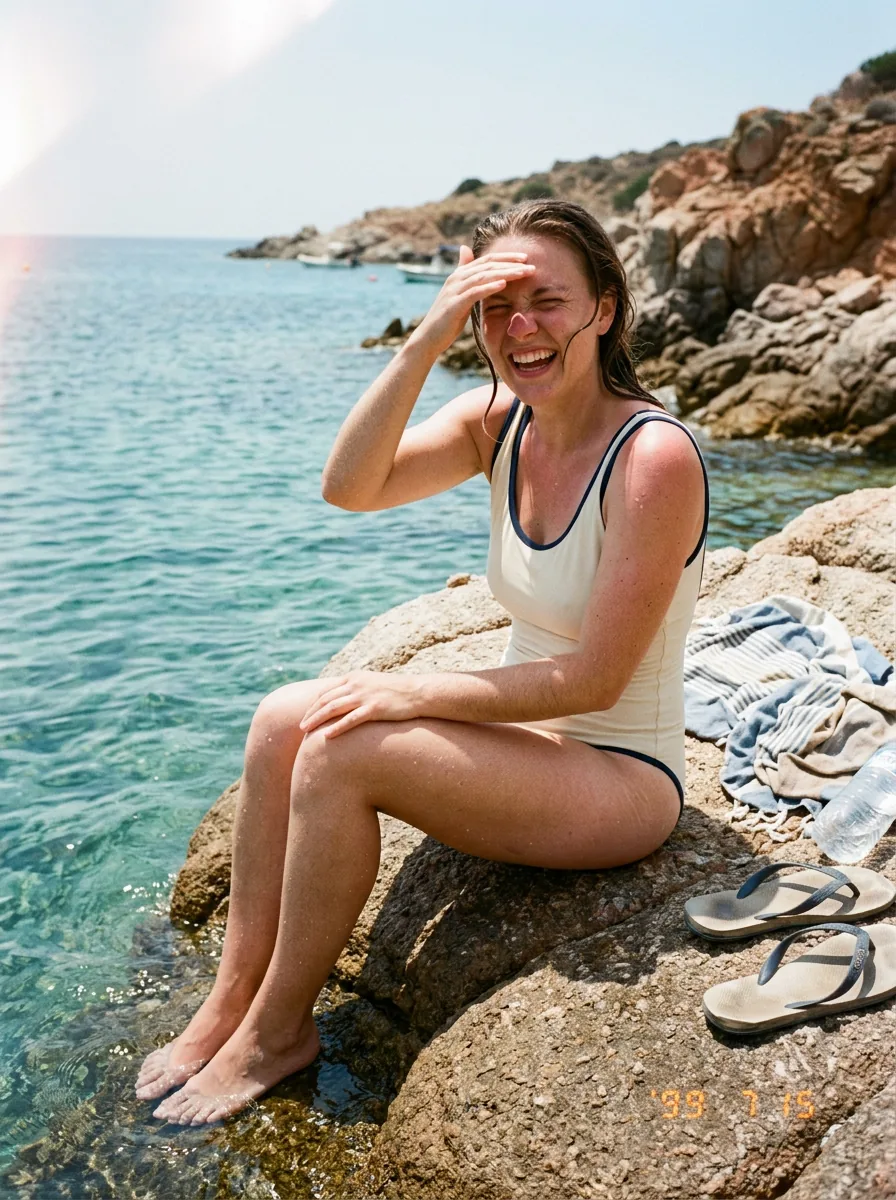
Nano Banana 2, 3:4. Rule 3 in action: a 90s compact film camera, soft corners, a light leak top-left, a date stamp. The event is small — squinting and laughing mid-sentence — which is exactly why it reads as candid.
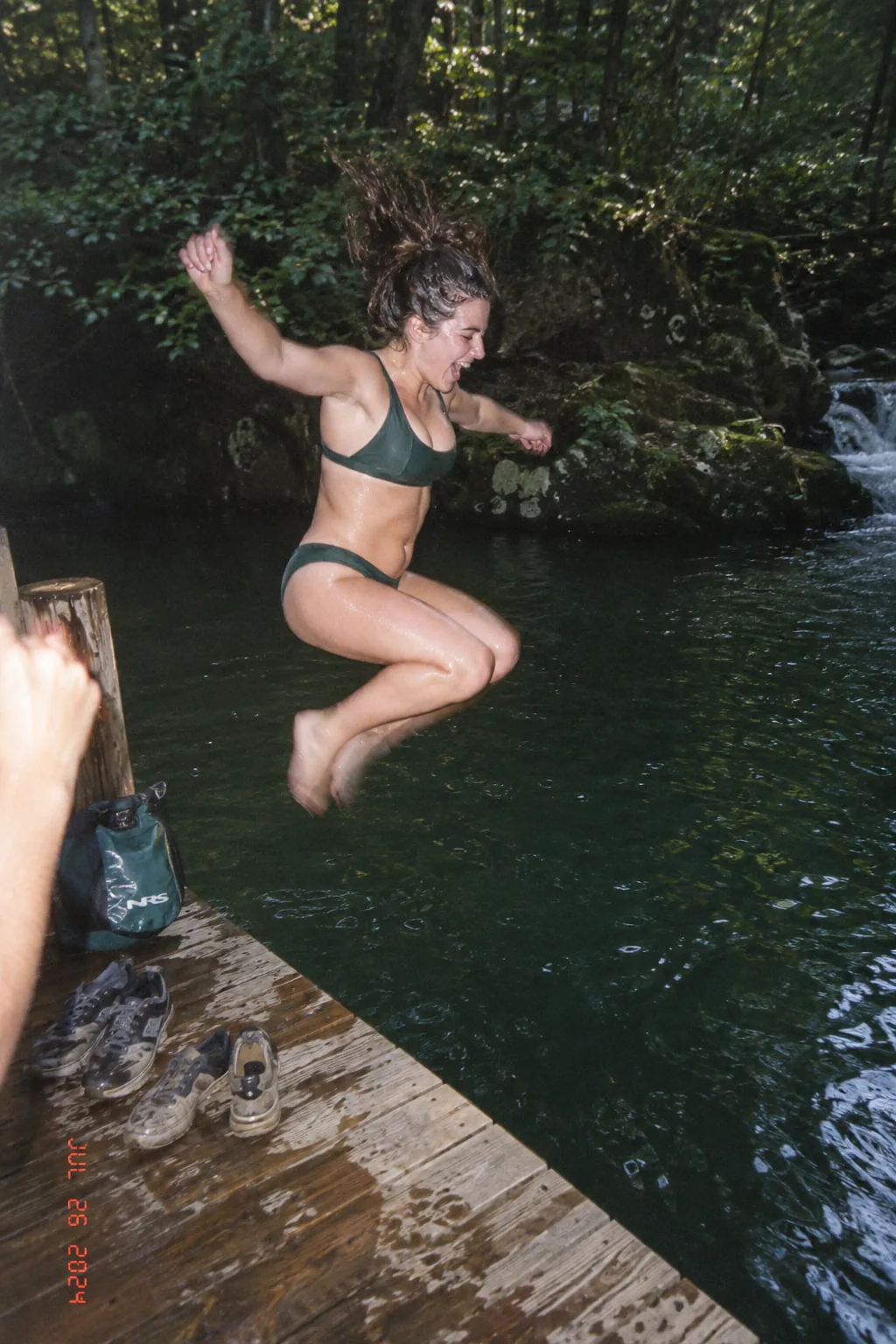
GPT-Image-2, 2:3. A transitional pose (knees tucked, arms out, not yet in the water), harsh direct flash in the shade, a date stamp, and the photographer's hand at the edge of the frame as point-of-view evidence. GPT-Image-2 followed the "disposable" brief most literally of the five.
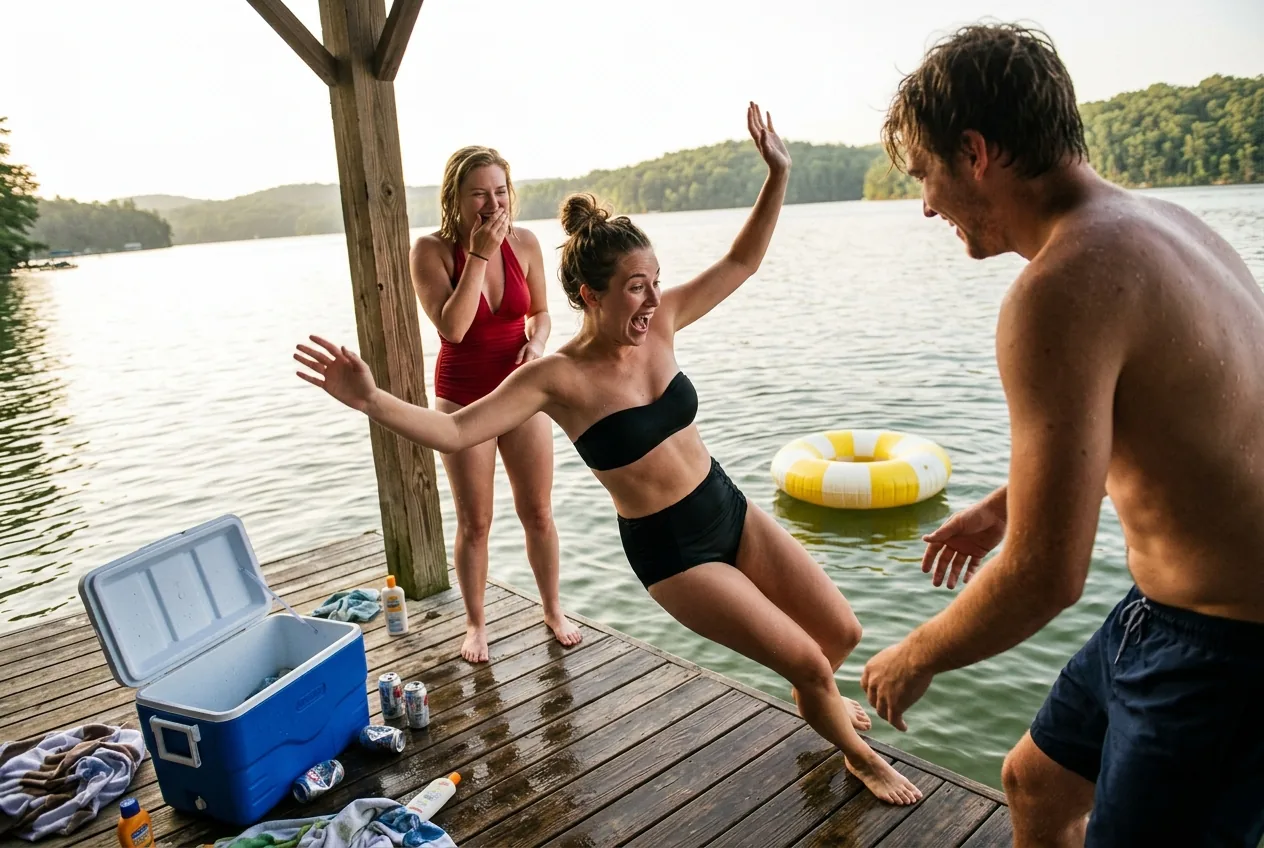
Nano Banana Pro, 3:2. The multi-person rules: one event (the push), three different reactions, three different swimwear silhouettes, asymmetric placement — one near and cropped, one middle, one behind a post — and nobody looking at the camera.
Character DNA translation: before and after
The cosplay section of the skill is where the model choice matters most. We ran the same prompt — an original sci-fi pilot character, silver wig, navy-white-orange palette translated into a one-piece, outdoor beach shower, 2000s CCD look — on two models.
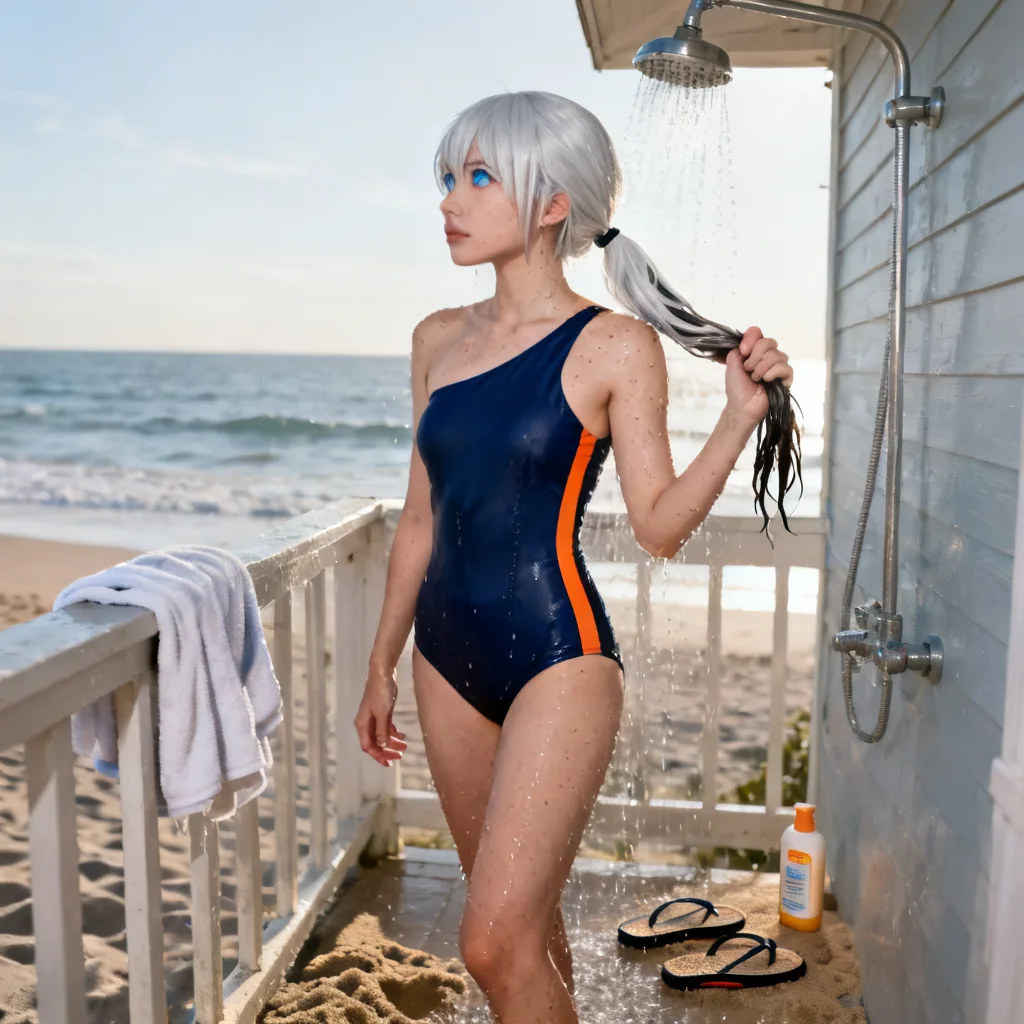
Seedream 4. The palette translation worked, but the skin is exactly what rule 5 forbids: smooth, poreless, a rendered face. Also note the ignored aspect ratio — this model expects a size parameter rather than a ratio.
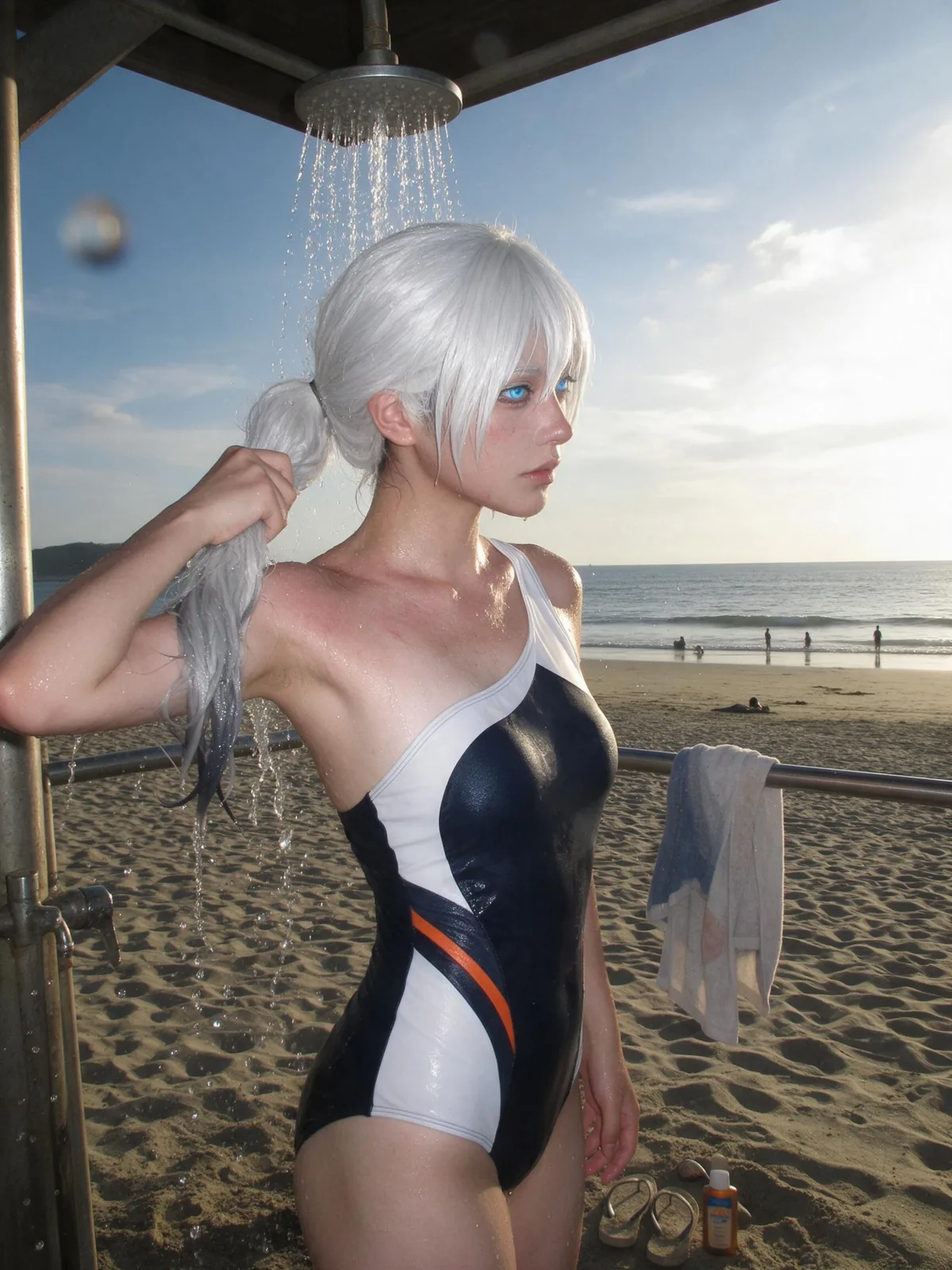
Seedream 5.0 Pro, same prompt. Real skin, wet synthetic wig fibres, a droplet on the lens, cool CCD whites. The character is still recognisable from the palette alone, which is the whole point of translating DNA rather than pasting a costume.
The lesson generalises: the prompt sets the ceiling, the model decides how close you get to it. For this style, Seedream 5.0 Pro and Nano Banana Pro were the most reliable at skin; Nano Banana 2 was the best value; GPT-Image-2 was the most obedient about camera artefacts.
Make it move
A candid photo that is still happening is a natural first frame for video — the event is already mid-flight, so the model only has to finish it. We took the rooftop shot into AI Video on Kling 2.6, five seconds, 720p, 16:9, and asked for exactly one thing to complete: the splash lands, the laugh carries, the handheld camera drifts.
The motion prompt is much shorter than the image prompt, and that is the point. The still already carries the wardrobe, the light, the lens and the place; repeating them invites the model to re-render the scene instead of animating it. Describe only what changes:
[CONTINUE]   Continue the moment already in frame. Do not restage it.
[MOTION]     <the one event finishing: the splash lands, she turns away laughing>.
[BODIES]     Natural weight shifts, hair and water follow through, nobody freezes.
[CAMERA]     Handheld, held by the same companion. Slight drift and breathing.
             No cut, no zoom, no orbit, no slow-motion, no camera move to a new angle.
[HOLD]       Keep wardrobe, light, location and film look identical to the frame.
Three things decide whether it reads as a photo in motion or as an AI clip:
- One event, finishing. Five seconds fits the tail of one action, not a sequence. "She jumps, swims to the edge and climbs out" is three events and will produce cuts or morphing.
- No camera move that a friend would not make. Orbits, cranes and smooth dolly-ins are the fastest way to say "generated". Handheld drift is the whole look.
- Let the still do the describing. If you re-specify the swimwear and the lighting, you are asking for a new scene that happens to resemble the first frame.
Start from your own best still rather than from text: AI Video takes an uploaded image as the first frame, and in a workflow the imageGeneration node wires straight into a videoGeneration node's keyframe port — one run takes a one-line brief to a finished clip.
Four ways to run this on Floniks
- The template, nothing to set up. We packaged the eight-rule skeleton as a public workflow: Candid Summer Snapshot. Type one line about the shot you want — it wraps it in the skeleton and renders it on Seedream 5.0 Pro. Start here if you only want the result.
- One shot, your own prompt. Open AI Image, choose Text to Image, paste a filled-in skeleton, pick a model and an aspect ratio, generate. Every example above was made this way.
- A reusable skill in a workflow. In the workflow editor, put the eight-rule card into a text-to-text node as the prompt optimiser, feed it a one-line brief ("two friends, rooftop pool, golden hour, 35mm film"), and wire the output into a text-to-image node. Duplicate the image node across models to A/B them, or batch a whole trip's worth of scenes in one run. This is the same pattern as our workflows versus one-off prompts guide.
- From an agent. Everything here is reachable over the Floniks MCP server:
list_model_aliasesto pick a model,single_taskto generate,get_taskto collect the result,publish_taskto put it on a share page. That is exactly how this article's images were produced.
Frequently asked questions
What makes an AI summer photo look real instead of rendered? Three things do most of the work: one event that is still happening rather than a pose, a named camera with its own fingerprints (film grain, direct flash, CCD noise), and photographic imperfections such as a tilted horizon or a cropped arm, while explicitly forbidding generative ones like extra fingers.
Which Floniks model is best for this candid film look? Seedream 5.0 Pro and Nano Banana Pro gave the most convincing skin and water. Nano Banana 2 is the best value for iterating. GPT-Image-2 followed camera-artefact instructions such as direct flash and date stamps most literally.
Do I need to write the whole 39-rule skill into my prompt? No. The eight-rule skeleton in this article covers what changes the result. Long prompts mostly repeat themselves; what matters is that frame, event, camera, skin, environment and imperfections are each stated once and clearly.
Can I use a reference photo of a real person? Yes, through Image to Image on the AI Image page. Give the reference one job — identity, or pose, or composition, or colour — and say so in the prompt. The original skill's advice is that a reference should only constrain what it is responsible for, never the whole picture.
Is this only for swimwear? No. The swimwear edition is where the skill was published, but every rule is about candid photography in general. Swap the wardrobe and the setting and the same skeleton produces convincing street, hiking, family or product-in-use snapshots.
Does generating cost credits, and what happens if a generation fails? Yes, each model shows its credit cost before you run it, and a failed generation is refunded automatically. Credits on Floniks never expire.
Try it
Copy the skeleton, fill in one event and one camera, and open AI Image. Then make the same shot on two models and look at the skin. That comparison teaches more about candid AI photography than any adjective list.