
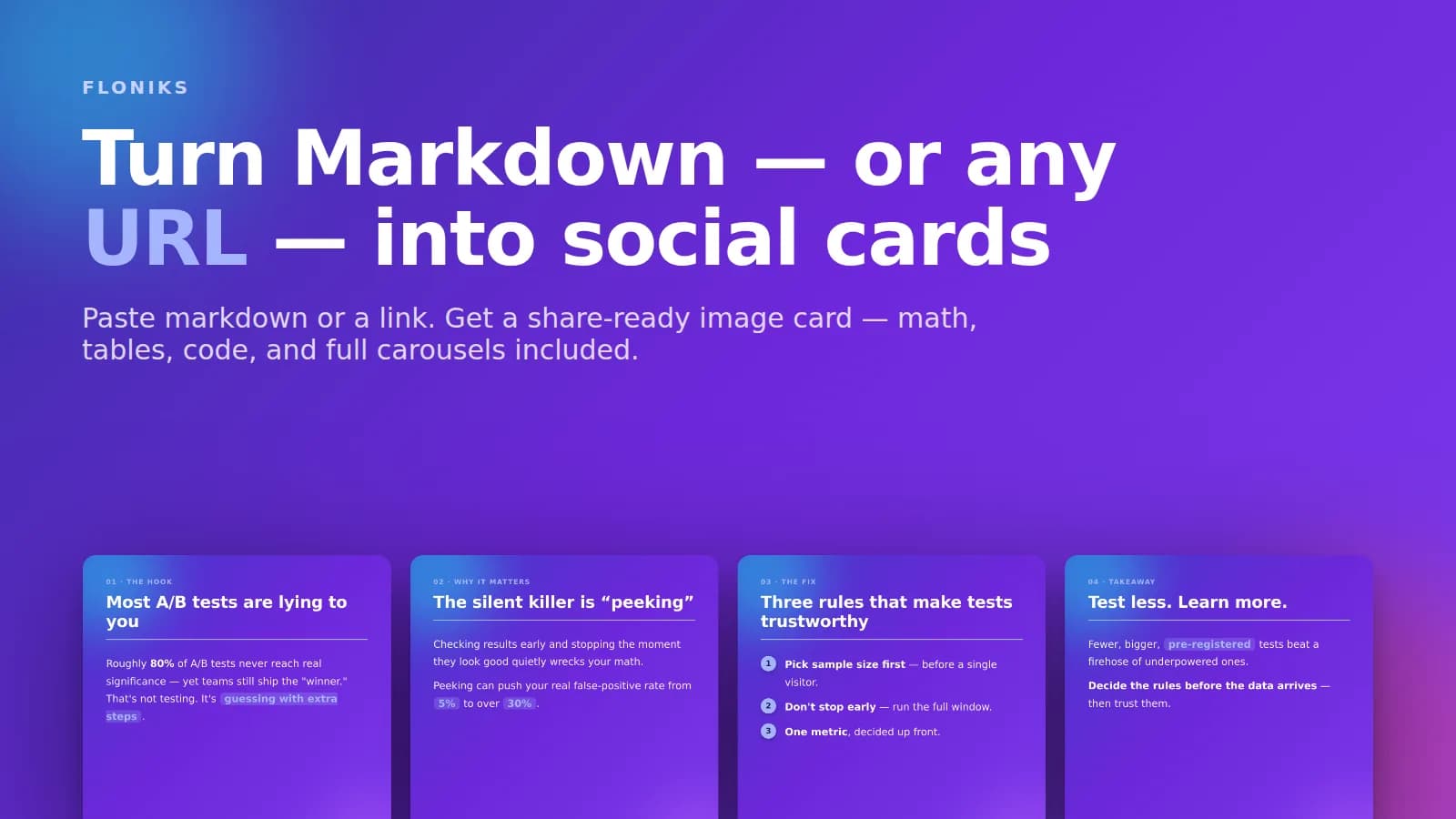
Paste markdown or a link. Get a share-ready card.
Your best thinking usually lives as markdown — a tip in your notes, a paragraph in a doc, a snippet in a README. But markdown doesn't travel. On X, LinkedIn, or Instagram, a wall of raw text scrolls right past; the posts that stop the scroll are images. Getting from one to the other normally means fighting a design tool, and that friction is why most good notes never get posted.
The new Markdown → Social Card tool on Floniks closes that gap. Paste markdown and it renders — headings, bold, tables, code, LaTeX math, even diagrams — into a beautiful, on-brand card you can export as a crisp PNG. Or paste a URL, and Floniks reads the whole article and designs a four-card carousel for you, complete with a ready-to-post caption.
Quick answer: To turn markdown into an image, open Floniks Markdown → Social Card, paste your markdown on the left, pick a theme and a social format (1:1, 4:5, 9:16, or 1.91:1), and click Export PNG. To turn an article into a carousel, switch to From URL, paste the link, and Floniks designs four knowledge cards — hook, insight, proof, takeaway — plus a caption, which you can download individually or as a ZIP.

From one URL: a four-card carousel with a cohesive theme, ready for a LinkedIn or X thread.
The problem: your best writing dies as plain text
We kept noticing the same thing. A developer writes a sharp two-paragraph explanation of a bug fix and drops it in Slack, where it's gone by lunch. A founder has a crisp product update sitting in a doc. A student has beautiful lecture notes with real equations. All of it is markdown-shaped — structured, skimmable, already written — and all of it stays invisible because turning it into something postable is a chore.
The tools that do exist are narrow. Code-screenshot apps only do code. Design tools do everything, which means a blank canvas and twenty minutes you don't have. Nobody just takes the markdown you already wrote and makes it look good.
What it does
At its core the tool is a faithful, beautiful markdown renderer wired to a one-click image export. Everything you'd expect from GitHub-flavored markdown works, plus the things that usually break:
- Tables render with clean borders and a subtle header row.
- LaTeX math renders with KaTeX — both inline formulas and full display equations.
- Code blocks become a polished "code card" with a title bar and real syntax highlighting.
- Ordered lists get colored number badges;
==highlighted==terms become accent pills. mermaiddiagrams render as flowcharts.
You pick from six publish-grade themes, choose a social aspect ratio, and export a retina PNG with transparent rounded corners — so the card drops cleanly onto any background.
From a URL: a whole carousel, designed for you
This is the part that isn't a design tool at all. Paste a link — a blog post, documentation, a news article — and Floniks does the editorial work:
- It safely fetches the page and extracts the readable article text.
- Claude Opus reads it and designs a deliberate four-card narrative arc: a scroll-stopping hook, the core insight, a proof point, and an actionable takeaway.
- Each card gets an eyebrow label, a punchy title, tight copy with key terms highlighted, and one cohesive theme across the set so it reads as a series.
- You also get a ready-to-post caption with hashtags.
The result is a carousel you could publish as-is, or tweak. It's the difference between "summarize this" and "design this into something people will actually share." If you've seen how our encyclopedia cards turn a topic into a single explainer, this is the multi-card, bring-your-own-source cousin.
Did you know? The URL fetcher is built to be safe by design. It only follows
http/https, re-checks every redirect hop, and refuses to touch private, loopback, or cloud-metadata addresses — so "paste any link" can't be turned into a request against internal infrastructure.
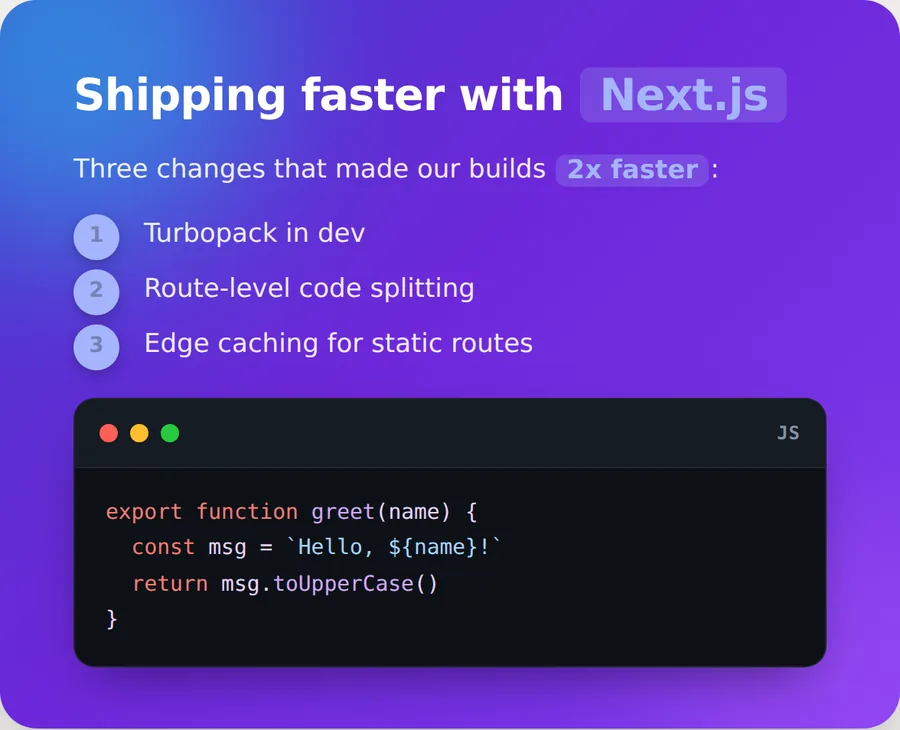
One card, full markdown: a code card with syntax highlighting, number badges, and highlighted terms.
Where it earns its place
Because the output is just an image, it fits anywhere you already post:
- Developers on X. Turn a tip, a
gittrick, or a code snippet into a clean code card — the kind of post that gets bookmarked. - Founders and marketers on LinkedIn. Paste your changelog or launch note and get a professional carousel instead of a plain-text update.
- Newsletter and blog authors. Drop your article URL in and get four promo cards plus a caption for the announcement thread — no separate design pass.
- Educators and students. Notes with real equations and tables become shareable study cards for Instagram or a class channel.
- Anyone with a good quote. A punchy line, a stat, a definition — one card, done.
How to make one
- Open Markdown → Social Card.
- Single card: paste markdown on the left; the card updates live on the right.
- (Optional) Click Analyze content and Floniks suggests a title, a fitting theme, and an image prompt for an AI-generated background.
- From a URL: switch to the From URL tab, paste a link, and click Generate carousel.
- Pick a theme and format, then Export PNG — or Download all (ZIP) for the full set.
That's the whole flow. Words in, card out.
Frequently asked questions
How do I turn markdown into an image? Open Floniks Markdown → Social Card, paste your markdown, pick a theme and a social format, and click Export PNG. The card renders live as you type — headings, bold, tables, code, and math all included — and exports as a high-resolution PNG with transparent rounded corners.
Can it turn a URL into a set of cards? Yes. Switch to the From URL tab and paste any article link. Floniks safely fetches the page, and Claude reads it and designs a four-card carousel — hook, insight, proof, takeaway — with a cohesive theme and a ready-to-post caption. You can export each card as a PNG or download the whole set as a ZIP.
Does it support math, tables, and code?
Yes. Tables use GitHub-flavored markdown, LaTeX math renders with KaTeX (inline and display), and fenced code blocks render as a syntax-highlighted "code card" with a title bar. mermaid code blocks render as diagrams.
What image formats and sizes can I export? Cards export as retina (2×) PNGs with transparent rounded corners, so they sit cleanly on any background. You can choose social aspect ratios — square 1:1, portrait 4:5, story 9:16, wide 1.91:1, or an auto long card — before exporting.
Can I add an AI-generated background image? Yes. Click Analyze content and Floniks proposes an image prompt based on your text; you can generate a matching background or header image with Floniks' image models and composite it into the card.
Is it good for code screenshots, like Carbon or ray.so? It renders code as a polished, syntax-highlighted code card, so yes — but it isn't limited to code. The same card can mix prose, a table, math, and a diagram, and the From URL mode designs whole carousels, which code-screenshot tools don't do.
Which platforms are the cards designed for? X, LinkedIn, and Instagram carousels are the primary targets, with format presets to match. Because the export is a plain PNG, the cards also work in newsletters, slides, Discord, and anywhere else you post images.
Do I need to design anything or write prompts? No. The themes are pre-designed and the layout is automatic; you paste content and pick a look. In From URL mode you don't even write the copy — Claude drafts the cards and the caption for you.
Start turning your words into cards
If you already write in markdown, you're already halfway to a great post. Paste it — or a link — into Markdown → Social Card and get a share-ready image in seconds. For longer, multi-step content, pair it with the workflow editor; for ideas to turn into cards, browse Ideas.